What is LinkRivers?
LinkRivers is a web operations platform built around Autopilot. It detects issues across your stack, prepares fixes, and verifies results after you approve.

LinkRivers monitors your site, diagnoses problems, and sends you the fix. One tap to approve from your phone.
How the Audit Works
Autopilot runs a free audit, prepares fixes, and puts you in control of what goes live.
Step 1
Link your repo so Autopilot can prepare fixes against real code.
Step 2
Autopilot scans for issues across SEO, performance, and reliability.
Step 3
Approve what ships. Every fix is verified and rollbackable.
How It Works
Full web operations platform. When something breaks, the fix is ready in your dashboard. Away from your desk? Approve from your phone.
Monitoring from 32 locations worldwide
/checkout returning 500 errors
Started after deploy #847 (3 min ago)
Deploy #847 broke the payment handler
TypeError: Cannot read property 'id' of undefined at PaymentService.js:142
Rollback to deploy #846
Away from your desk? Same fix, from your pocket.
LinkRivers Autopilot
now
Checkout is down
Deploy #847 broke payment handler. Roll back to #846 to restore.
2:14 AM
Checkout 500 errors detected
2:14 AM
Root cause: deploy #847
2:14 AM
Fix proposed: rollback to #846
2:15 AM
Approved by you
2:15 AM
Vercel API: rolled back to #846
2:16 AM
Checkout verified: 200 OK
Downtime
2 min
Revenue saved
$12.4k
Your effort
1 tap
100+ Automated Actions
Each action is pre-built and tested. You just approve it.
Every action is verified and rollbackable. You stay in control.
Run a free auditBuilt For You
Deployed an update? See exactly what it did to your conversion rate and revenue. Before/after, in dollars.
Every technical problem on your store, translated to dollars lost per day. Fix the expensive ones first.
Synthetic checks run your checkout every few minutes. Broken payment flow? You know before your first customer complains.
Every third-party script on your store - reviews, chat, pixels - with its exact cost in performance and lost revenue.
Not just where people drop off - why. Device-specific, error-specific, speed-specific. Each leak is a fixable problem.
Stripe, PayPal, Klarna reachability checked continuously. Alert within minutes of an outage.
Connect your store in one click. Agent Lite tracks every step from product view to purchase automatically.
Broken script killing checkout? Autopilot disables it. Slow page after a deploy? Autopilot purges the cache. Automatic.
Which product pages are slow, broken, or out of stock with active traffic? Stop bleeding sessions on dead pages.
Integrations
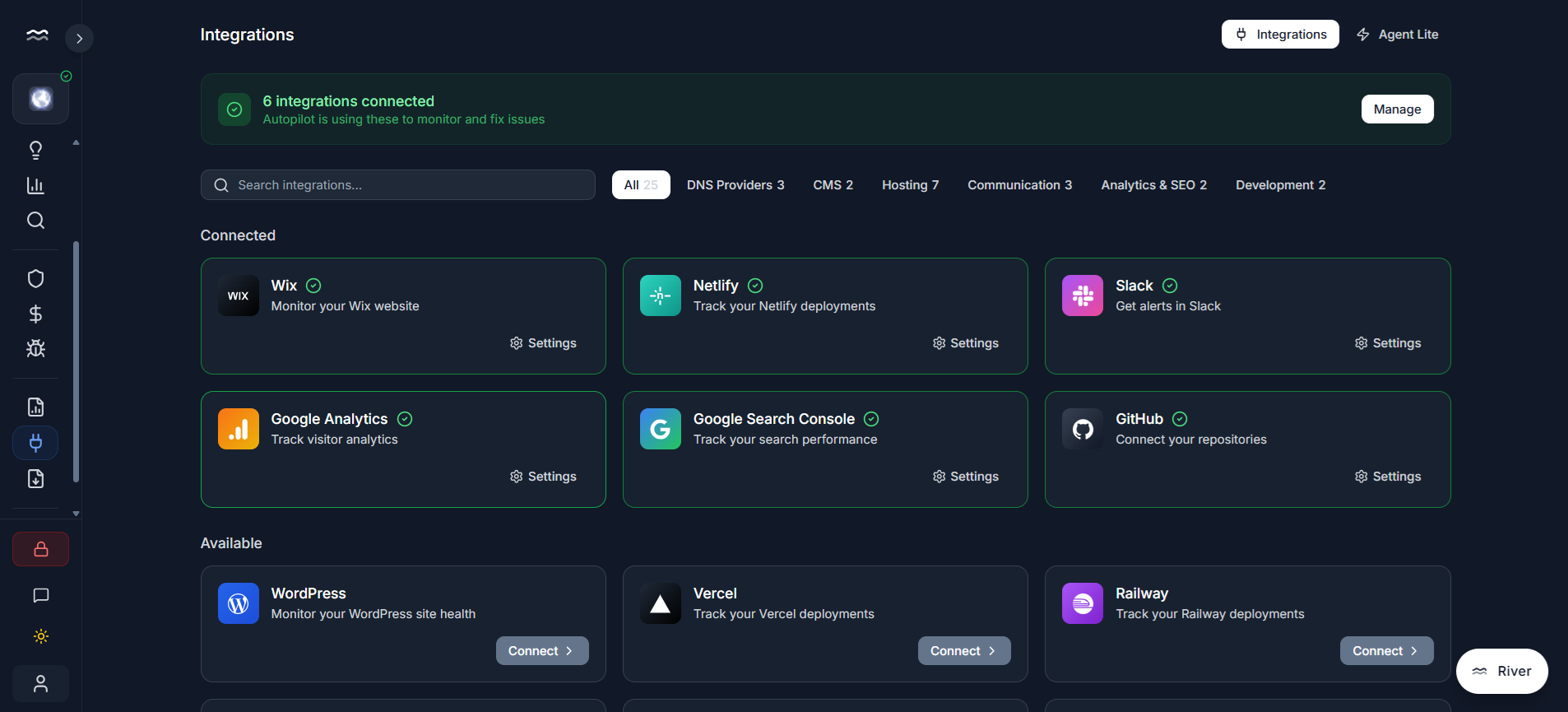
Shopify, WordPress, Vercel, Netlify, Cloudflare, Slack, and more. One-click connections give Autopilot the access it needs to act.
Pre-built actions you can approve and verify.
Review and approve fixes from anywhere.
Connect the tools Autopilot needs to act.
Every fix is confirmed and rollbackable.
One broken checkout costs more than a year of LinkRivers. Connect your stack, and the system starts detecting, diagnosing, and fixing from day one.
From the Blog
Every minute of downtime costs money. Learn why fast detection and auto-remediation matter.
Rankings take months to recover. Learn how to catch technical SEO issues before you lose traffic.
Compare options and find the platform that fits your needs and budget.
Frequently Asked Questions
LinkRivers is a web operations platform built around Autopilot. It detects issues across your stack, prepares fixes, and verifies results after you approve.
When LinkRivers detects an issue, Autopilot prepares the fix and sends it to you. For a broken link, it might replace the URL or remove the link. For a slow site, it might roll back a deployment. You review and approve from your phone or desktop. Every action is verified and rollbackable.
100+ actions across categories: SEO (fix broken links, add meta descriptions, collapse redirect chains, add schema markup), Performance (purge CDN cache, enable compression, compress images), Infrastructure (rollback deployments, renew SSL, block IPs), and Business (respond to reviews, post to Google Business, adjust ad budgets). New actions are added regularly.
Connect GitHub and your stack. Autopilot runs an audit, prepares fixes, and presents them for review so you can approve what ships.
30+ platforms: Hosting (Vercel, Netlify, Cloudflare), CMS (WordPress, Shopify, Webflow), Google (Business Profile, Analytics, Ads, Search Console), Communication (Slack, Discord, Teams). The more you connect, the more Autopilot can fix automatically.
By default, yes - you approve each fix from your phone or desktop. You can set auto-approval rules for low-risk actions. High-risk actions like deployment rollbacks always require approval. Every fix is verified and rollbackable so you stay in control.